
How to choose a laptop according to use
When choosing a laptop, it's easy to start comparing processors, RAM, or screen size. But just like with a desktop computer, the most important thing to start with is a different question.
A laptop that sits on your desk most of the time connected to a monitor may be larger and more powerful, but if you're carrying it between the office, school, and home every day, weight, battery life, and charging method become much more important.
The right laptop is not simply the most powerful one. It's the device that fits the way you work and offers a reasonable compromise between performance, mobility, durability and price.

A laptop is always a compromise
For a desktop computer, performance, cooling, monitor size, and other parts can be addressed relatively independently.
With a laptop, most things are combined into one device:
- processor,
- graphic arts,
- display,
- keyboard,
- battery,
- cooling,
- connectors,
- speakers,
- webcam.
For example, a powerful processor may not be an advantage if it makes the laptop significantly heavier, has a short battery life, or is noisy when working.
First, determine how you will use it.
The same laptop won't be ideal for everyone. You need to think differently about an office device and a laptop for everyday travel, gaming, or graphics work.
Office and regular work
Email, web, office applications, accounting systems, video calls, and document work do not require extreme performance.
Priority: comfortable keyboard, 16 GB RAM , SSD , quality display, low noise and necessary connectors.
Home office and hybrid work
If you regularly alternate between the office and working from home, your laptop becomes the center of your entire workplace.
Priority: USB-C or Thunderbolt, docking, external monitors, endurance and reasonable weight.
Study
The requirements depend mainly on the field. Documents and presentations have different requirements than CAD, 3D, graphics applications or technical simulations.
Priority: mobility, battery and performance appropriate to the software used.
Frequent travel
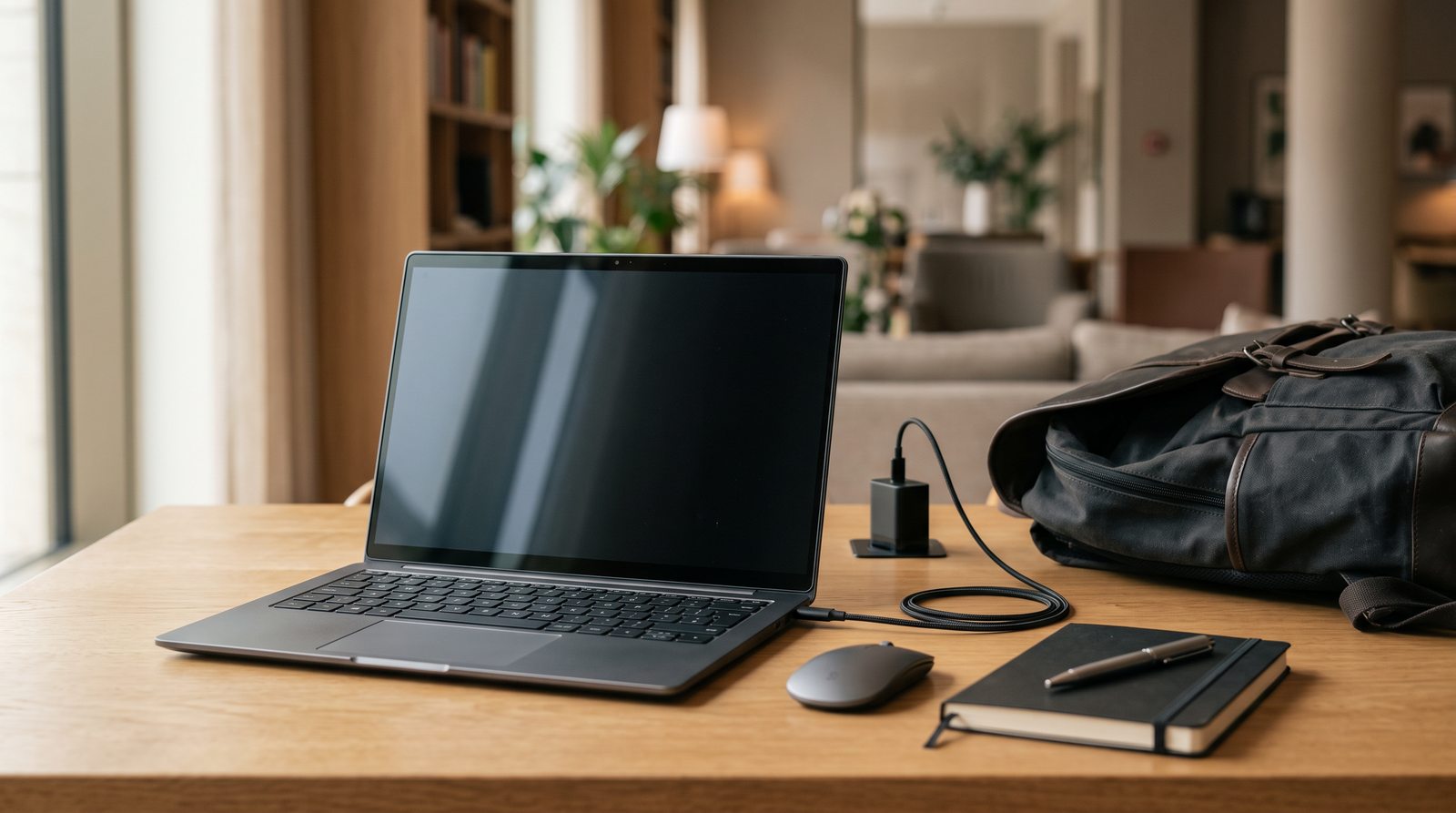
When carrying it around on a daily basis, dimensions, weight, durability, and ease of charging become very important.
Priority: light weight, compact dimensions, battery life and USB-C charging.
Graphics, photography and video
For creative work, in addition to performance, the display itself, RAM , fast SSD , and depending on the software, the graphics card are also essential.
Priority: quality display, performance, RAM, SSD and suitable graphics.
Gaming
For a gaming laptop , a separate graphics card, processor, cooling, and the parameters of the display itself are important.
Priority: graphics performance, cooling and balance of the entire setup.
Laptop for home office and hybrid work
If you regularly alternate between the office and working from home, support can be important:
- USB-C or Thunderbolt,
- charging via USB-C,
- external monitors,
- docking station.
You can then connect your laptop to the monitor, keyboard, mouse, network and power at each workstation with a single cable.
We discussed this way of working in more detail in the article about flexible working .
Notebook for study
For a student, the field of study matters most.
An economics student has different requirements than someone who uses:
- CAD,
- 3D modeling,
- video editing,
- graphic applications,
- technical simulations,
- development environments.
It is therefore advisable to check the requirements of the software used during your studies before making a selection.
A laptop for frequent travel
If you carry your laptop every day, you will feel the difference between, for example, 1.2 kg and 2 kg much more than if you occasionally carry it between two rooms.
For frequent travel, laptops around 13 to 14 inches are very practical .
However, smaller dimensions also mean a smaller work surface and often fewer connectors.
Notebook for graphics, photography and video
For creative work, it's not enough to just monitor performance. The display itself is also important.
Depending on the specific job, solve for example:
- distinction,
- color rendering,
- brightness,
- color gamut,
- panel type,
- display size.
For more demanding graphics or video, 32 GB of RAM or more is usually suitable .
Depending on the software you use, a discrete graphics card may also be important.
Gaming laptop
In a gaming laptop, one of the most important components is a discrete graphics card.
But it's not enough to just look at its label. The performance of a laptop graphics card is also affected by:
- set power consumption,
- cooling a specific laptop,
- processor performance,
- display resolution.
A gaming laptop also usually means a compromise in weight, size, noise, and battery life.
How big a laptop should I choose?
The size of the display fundamentally affects not only the comfort of work, but also the overall dimensions and weight of the device.
The display is not just about size
Two laptops of the same size can have very different displays.
When choosing, consider:
- distinction,
- panel type,
- brightness,
- color rendering,
- refresh rate,
- display surface.
For regular office work, a high-quality IPS or similar panel with sufficient brightness and good viewing angles is practical.
A higher refresh rate is especially interesting for gaming, but it can also make everyday work more enjoyable thanks to smoother image movement.
In graphics and photography, on the other hand, color accuracy is more important.

Processor: don't just look at the label
When comparing processors, it is not a good idea to rely solely on the series name or number of cores.
Important is:
- specific generation,
- architecture,
- performance,
- consumption,
- cooling method in a particular laptop.
A laptop has significantly more limited cooling options than a desktop computer, and therefore it also depends on the design of the specific device.
How much RAM do you need?
But there is one more thing that is important to find out about the laptop:
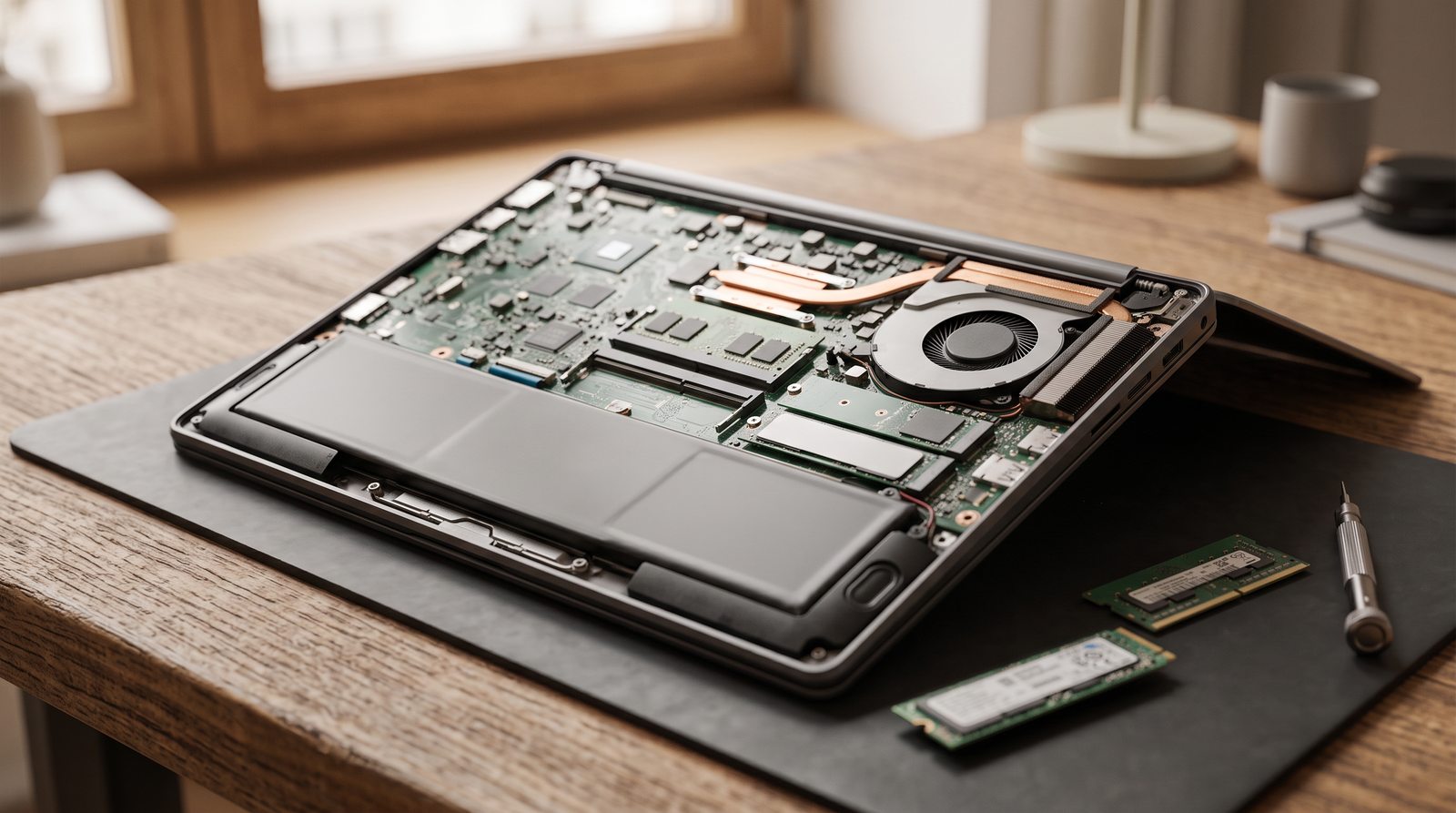
In some models, the RAM is soldered directly to the motherboard. In this case, you cannot simply replace or expand it later.
Therefore, it may be wise to buy a larger capacity when choosing a laptop.
SSD: choose capacity with the future in mind
For most everyday use, SSD is a given today.
As with RAM, it's a good idea to check if the laptop allows you to replace the SSD later or add another drive.
Integrated or discrete graphics?
Integrated graphics can handle many common tasks today:
- office,
- website,
- video,
- video calls,
- basic photo editing,
- common use of multiple monitors.
A discrete graphics card makes sense primarily for gaming, 3D, some CAD applications, video editing, rendering, and GPU-accelerated software.
It usually means higher consumption, greater cooling requirements, higher weight and shorter battery life.

Battery: the number in the specification is not everything
Battery capacity is usually stated in Wh, but the value alone does not tell you how long the laptop will actually last.
Stamina is affected by, for example:
- processor,
- display,
- brightness,
- graphics card,
- method of use,
- system optimization.
Additionally, manufacturers often measure endurance in conditions that may not match your typical workday.
Therefore, it is appropriate to perceive the declared durability more as a guide.
Don't forget to charge
USB-C charging can be very practical when traveling or working hybridly.
You can sometimes power a laptop, phone, and other devices with one compatible charger.
But you need to check:
- whether the laptop actually supports USB-C Power Delivery,
- what power it needs,
- what power the charger or docking station provides.
Connectors can decide everyday comfort
The number of ports is gradually decreasing in thin laptops.
Therefore, before buying, consider whether you need:
If you're missing some ports, you can often add them with a hub or docking station . However, for everyday use, it's sometimes more convenient to have the most important connectors right on your laptop.
The keyboard, touchpad and webcam are not trifles
You can compare the processor in the table. Keyboard comfort is not so easy to measure.
If you work on your laptop for several hours a day, the following are of great importance:
- keyboard layout,
- stroke,
- touchpad size,
- numeric keypad,
- webcam location,
- microphone quality.
For example, you won't often find a numeric keypad on a 14-inch work laptop, while it's more common on larger 15-16-inch models.
Weight is not important for everyone
A laptop weighing 2.3 kg may not be a problem if you carry it from home to the office by car once a week.
However, if you carry it in a backpack every day along with the charger, the difference compared to a device weighing around 1.3 kg will be very noticeable.
Therefore, it makes sense to always evaluate weight together with the method of use.
Think about the possibility of future expansion
For laptops, upgrade options are significantly more limited than for desktops.
- whether the RAM can be expanded,
- whether the SSD can be replaced,
- whether a second SSD slot is available,
- how easily the battery is accessible,
- what components are soldered.
In some very thin laptops, practically everything except the SSD can be integrated directly on the motherboard.
This may not be a problem if you take this into account when purchasing.
Quick overview by use
First the method of use, then the parameters
When choosing a laptop, the most important question is not:
"Which laptop has the best specs?"
Much more useful is:
"Where and what will I use it for?"
A laptop for everyday travel has different priorities than a powerful machine that sits on a desk most of the time.
Only then does it make sense to consider size, weight, performance, graphics, battery, display, and connectivity.
A well-chosen laptop doesn't have to be the best in every discipline. It just has to be suitable for the way you'll be using it.
Frequently asked questions
How much RAM should a laptop have?
For regular office work, home use and study, 16 GB is a reasonable base today . More demanding applications, gaming or creative work can use 32 GB or more.
Is a 14-inch laptop big enough for work?
Yes. This is a popular compromise for mobile and hybrid work. However, if you use your laptop in one place all day, a larger display or external monitor may be more comfortable.
Do I need a discrete graphics card?
Mostly not for regular work. It is especially important for gaming, 3D, some professional applications, rendering or more demanding video processing.
Is a 512 GB or 1 TB SSD better?
For regular office work and studying, 512 GB may be enough. If you want more space, install games, or work with photos and videos, 1 TB is more practical.
Can the laptop be upgraded later?
It depends on the specific model. Some allow you to upgrade both RAM and SSD, while others have the RAM soldered in and only the storage can be replaced. That's why it's a good idea to check the upgrade options before buying.
Does USB-C charging make sense?
Yes, especially when traveling or working in multiple locations. However, you need to verify the Power Delivery support and the required charging power of your specific laptop.
Do you need advice on choosing?
If you're not sure what laptop you need, write to us about where and what you'll be using it for .
Based on your usage, we'll help you choose the right size, performance, memory, storage, display, and connectivity so you don't pay for features you won't use.
E-mail: info@jirno.eu
We only handle technical questions via e-mail or contact form.
JIRNO – a technique that makes sense in practice.
Do you have any questions? We will answer them. Please fill in your contact details carefully.